Click-to-Call Workflow
1 Lead Management System Phase
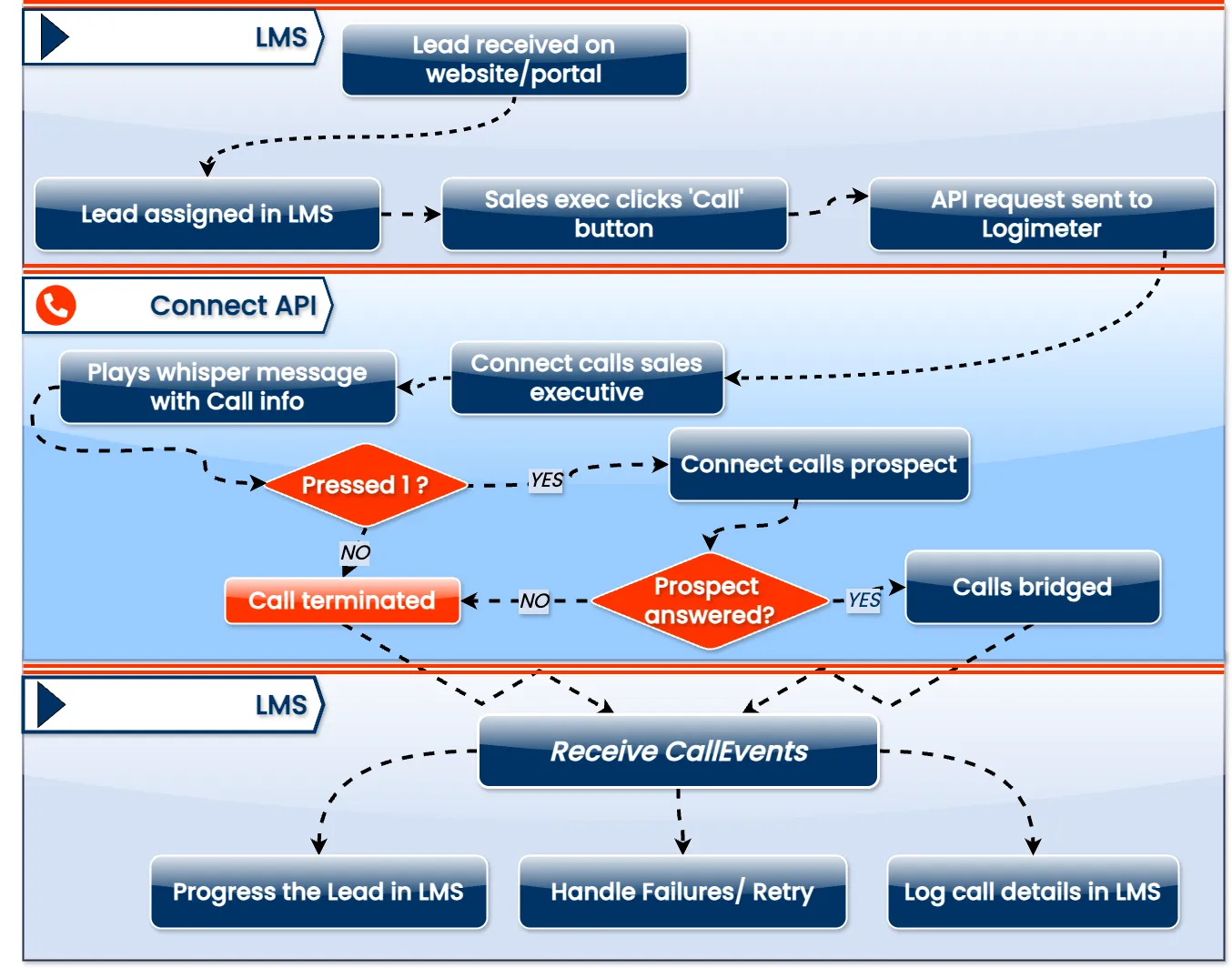
- Lead is received on website/portal
- Lead is assigned to an available sales executive in the LMS
- Sales executive views the complete lead details in the system
- Sales executive clicks the 'Call' button next to the lead
2 Pre-Call Validation
- System checks if a valid phone number is available for the lead
- If no valid phone number exists, system displays an error message
- If valid phone number exists, system prepares API request with executive's and prospect's numbers
- API request is sent to Logimeter Connect API
3 Logimeter Connect API Phase
- Logimeter Connect API initiates a call to the sales executive's phone
- When sales executive answers, system plays a whisper message containing lead information
- System prompts executive to press 1 to confirm proceeding with the call
- If SE does not press 1, the call is terminated
- If SE presses 1, system initiates a call to the prospect's phone number
- System monitors if the prospect answers the call
- If prospect does not answer, the call is terminated
- If prospect answers, both calls are bridged for conversation
4 Post-Call Processing
- Call event data is sent from Logimeter to the LMS via Callevents
- System logs complete call details in the LMS (duration, outcome, timestamps)
- System updates the lead status based on call outcome
- System evaluates if call was successful or if there was a failure
- For failures, system determines if a retry is needed
- If retry is needed, system schedules another call attempt
- If no retry is needed, system updates appropriate status
5 Additional Processing
- Successful calls triggers lead progression in the LMS workflow
- Call recordings are linked to the lead records. Any notes or follow-up actions from the SE are attached to the lead record
- Call analytics are captured for reporting purposes